Progress Bar
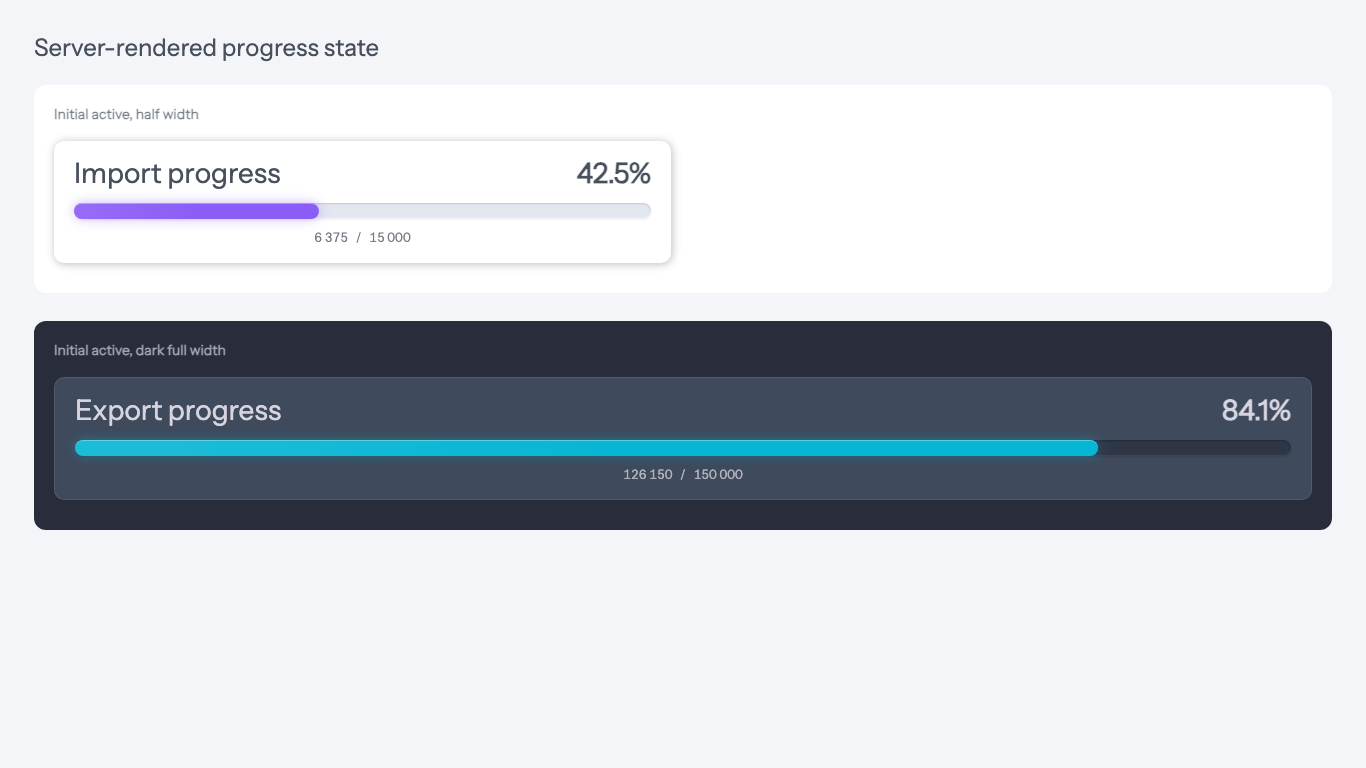
ProgressBarModule renders a server-driven progress indicator for long-running admin tasks. Adminix calls the handler during page generation, so the first HTML render already contains the current status, percent, optional label, optional details, and optional absolute values without waiting for a browser polling request. It does not poll while inactive.
Rendered example:
The trigger is isolated from the button action. A link, submit button, modal toggler, or custom element can keep its own behavior and also start the progress bar by rendering data-adminix-progress-trigger="import-progress". Built-in LinkModule, ModalTogglerModule, BulkAction, and ImportModule expose this as progressTrigger('import-progress'). Adminix does not prevent the button's default action; if the click navigates away or submits a full-page form, the current page will leave before further polling can render. For queued bulk actions and queued imports, the progress handler should return the current queued job state during the redirected page render; the browser trigger only starts polling for the current page before the form submit leaves.
By default the progress bar uses the same desktop width as chart modules: half-width (col-12 col-xl-6). Call fullWidth() when the bar should span the full content width. color() accepts ColorsEnum values or CSS color strings and controls only the fill color; text uses the base Adminix theme color. On hover or keyboard focus, the track shows a percent tooltip that follows the animated fill position and updates with the same dynamic value as the header counter.
Architecture
ProgressBarModule follows the same module structure as other Adminix top modules:
the PHP DSL is implemented through
ModuleMagicMethods;Module::progressBar()andModuleFactorycreate the module instance;ModulesFactoryresolvesProgressBarModuleDataProviderfor page rendering;ProgressBarStatusResolvercalls the configured handler for the initial render and polling endpoint;components/modules/progress_bar.blade.phprenders the server-prepared state;AdminixProgressBarhandles triggers, polling, smooth fill animation, and animated numeric values in the browser.
CheckDataSource is not used because progress bars do not read from an Adminix datasource. The module receives state from an explicit ProgressBarHandlerInterface implementation instead.
Handler Contract
Handlers implement ProgressBarHandlerInterface and return ProgressBarResult. Handlers run during the initial page render and during later polling, so keep them idempotent and cheap: read current job state, do not start jobs or perform writes from the progress handler itself.
Result states:
ProgressBarResult::inactive()hides the bar and stops polling.ProgressBarResult::active($percent)shows the bar and schedules the next poll.ProgressBarResult::completed($label)keeps the bar visible at100%and stops polling.ProgressBarResult::failed($reason, $percent, $label)keeps the bar visible as an error and stops polling.ProgressBarResult::cancelled($reason, $percent, $label)keeps the bar visible as an error and stops polling.
The status controls visibility, polling, and terminal presentation. The primary unit is percent, normalized into 0..100. Use completed() for finished work that should remain visible; use inactive() when the backend wants to hide the bar and stop polling. Failed and cancelled terminal states should include a short server-owned reason. The browser renders that reason as the error label and does not treat the progress as completed. Visible progress text is exposed through a polite live region. Repeated polling responses with identical text are deduplicated so assistive technology is not asked to announce the same state again.
For absolute counters, call showValues() on the module and return either ProgressBarResult::active($percent)->values($current, $max) or ProgressBarResult::fromValues($current, $max). Adminix renders current / max centered under the track only when this option is enabled and the handler returns both values. The absolute row is display-only; inactive results still hide the whole progress module and stop polling.
Use the result label for the short current phase, and details for compact status counters around the progress bar:
Detail values are display-only text, numbers, or booleans. Detail colors accept ColorsEnum values or simple CSS colors and render through the existing Adminix status badge styles. Keep details small and summary-oriented; large validation reports, failed rows, and generated files should be exposed through a list, download action, or queued action result instead of packing them into the progress bar payload.
Idempotent handlers
Progress handlers are read-side adapters. They may run on the first page render, after a browser trigger, after every poll, after a tab refresh, and after the queued job has already completed. Implement them as idempotent reads:
read one durable job/import/action state record by server-owned page params, tenant context, authenticated admin, or an application-owned job key;
return
inactive()when no relevant job exists or the current admin cannot see it;return
completed()only when the completed state should remain visible, otherwise returninactive();return
failed()orcancelled()with the durable failure reason instead of collapsing those states intoinactive();do not start jobs, mutate counters, create files, send notifications, or mark records as read from a progress handler;
avoid expensive aggregate queries on every poll; cache or precompute counters in the queued job when possible.
The queued job owns writes and state transitions. The progress handler only projects that state into ProgressBarResult.
Polling
pollIntervalSeconds() is configured in seconds and is clamped to a minimum of 1. This protects the backend from accidental high-frequency polling.
The progress endpoint receives signed page params through Adminix context, so handlers can use param:n-style page context without trusting browser-submitted values.
If the initial render returns active, Adminix shows the bar immediately and schedules the first browser poll after pollIntervalSeconds(). It does not send a duplicate immediate fetch just to initialize the bar.
Backend responses stop polling by returning inactive, completed, failed, or cancelled. Because Adminix does not use websockets, the backend cannot push an inactive bar into the running state; use progressTrigger() for user-started tasks. autoStart() remains available for rare screens that must immediately probe again from the browser after rendering, but most progress bars should rely on the server-rendered initial state plus triggers.
Doctor
php artisan adminix:doctor validates that a progress bar has a handler, that a class-string handler exists, and that it implements ProgressBarHandlerInterface. It resolves ImportModule::progressTrigger() against ProgressBarModule names across the complete page module tree, including nested dashboards and panels.