Metric
MetricModule builds dashboard widgets from server-side PHP configuration. It is additive and does not change CounterModule, ChartLineModule, or ChartBarModule.
Use AlexKudrya\Adminix\Modules\Metric\Metric builders:
Result:
value metrics render a counter-styled number card;
trend metrics render a line chart and can add a dashed previous-period series;
partition metrics render a grouped bar chart;
progress metrics render a counter-styled value card with a progress bar.
Trend and partition canvases expose their title plus an equivalent hidden data table to assistive technology. Progress metrics expose the native progressbar range contract and clamp the rendered percentage to 0..100, even when the underlying aggregate is negative or exceeds its target.
Rendered example:
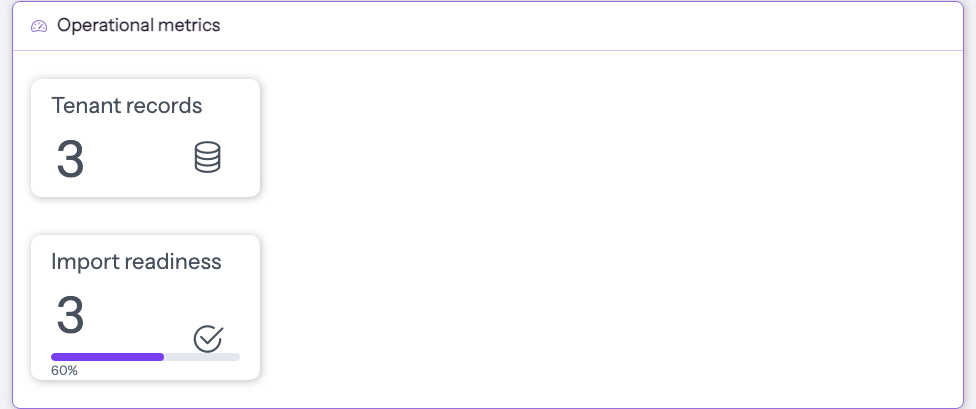
When a value/progress metric has previous-period comparison data, Adminix renders the smaller delta text inline beside the main value so the card keeps the same vertical rhythm as CounterModule.
Value and progress metric cards stay visually stable on hover by default. If a specific card should enlarge its value and icon on hover, enable it explicitly:
Use withoutHoverScale() when the flag is set conditionally and you need to force the default static behavior. Trend and partition chart metrics ignore this visual option.
Configuration
Common methods:
name()is required and unique on the page.title()is the visible widget title.dataSource()accepts an Eloquent model class or table name.criteria()applies server-side query scope before aggregation.aggregate()acceptscount,sum,avg,min, ormax.aggregate('sum', 'amount')sets both aggregate and aggregate field. Non-count aggregates requireaggregateField().format()controls displayed card values. Supported values are default number formatting,percent, anddecimal:n.hoverScale()makes value/progress cards enlarge their value and icon on hover. The default is no hover scaling.
Trend methods:
dateField()selects the date/datetime column, defaulting tocreated_at.bucket()acceptsMetricDateBucketEnum::DAY,WEEK, orMONTH.range()accepts onlyMetricRangePresetEnumvalues:LAST_7_DAYS,LAST_30_DAYS,LAST_90_DAYS, orLAST_12_MONTHS.comparePreviousPeriod()adds a previous-period comparison for value and trend metrics.
Partition methods:
groupBy()is required and defines the grouping field.limit()caps the number of grouped bars.
Progress methods:
target()is required and must be greater than zero.
Safety
Metric ranges are server-side presets, not browser-provided raw dates. Do not use metrics as an authorization boundary; keep tenant/user scope in criteria(). Invalid aggregate names, range presets, missing aggregate fields, missing trend date fields, and invalid progress targets fail with controlled package errors.
Aggregations and date buckets are covered by the Testbench matrix on SQLite, MySQL, and PostgreSQL.