Detail
DetailModule renders one record as a read-only presentation block. Use it when an admin user needs to inspect data without opening an edit form.
Rendered example:
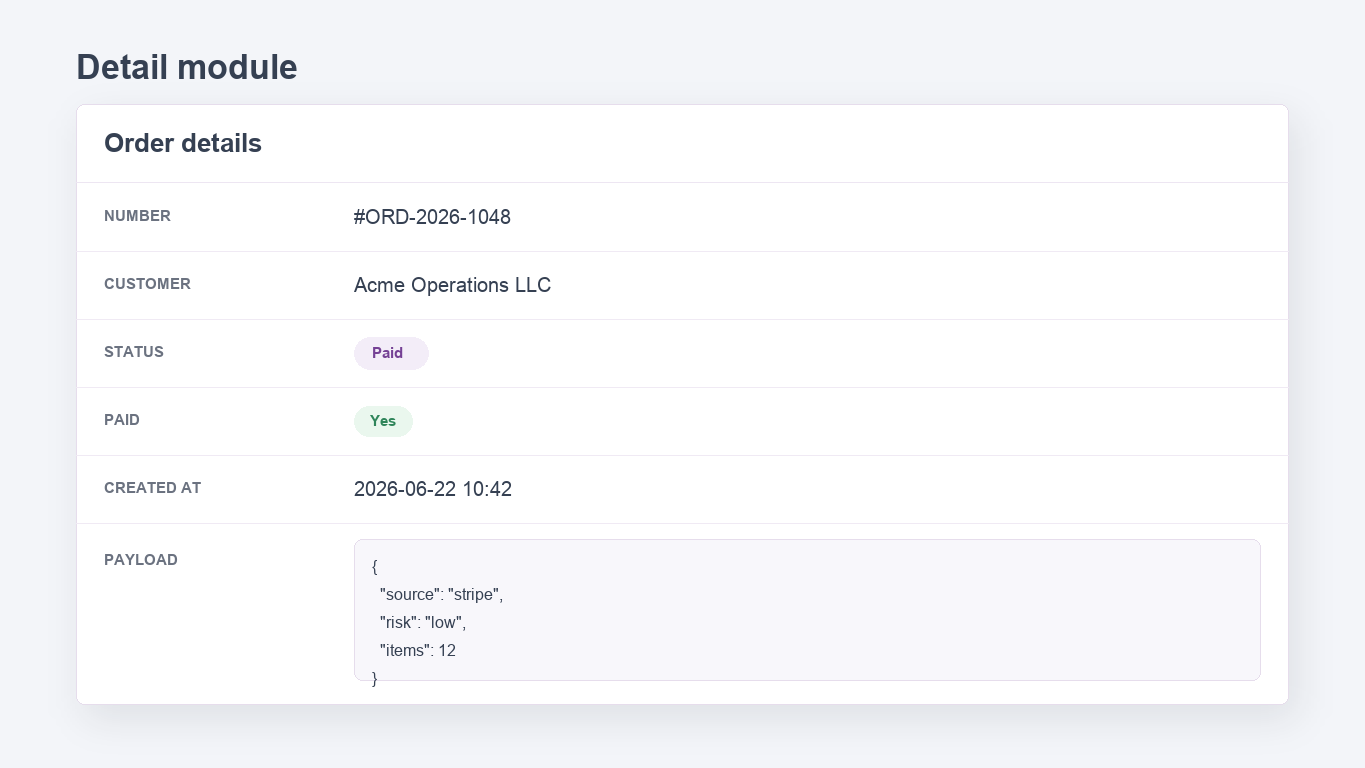
Generate a starter detail page provider:
The generated page uses ResourceProperty::key('id')->value('param:0'), so open it with a route tail such as /adminix/products-show/15. Review generated fields and route names before registering it in a consuming app.
Detail Vs Resource Edit
Use DetailModule for read-only record inspection, support screens, order/customer overviews, audit-adjacent pages, and pages where the admin should compare data without editing it. It renders presentation-first fields, grouped sections, tabs, relation snippets, and optional audit panels. It never submits writable fields and does not expose create/update behavior.
Use ResourceModule when the page exists to edit an existing record. It renders a server-owned form, validates submitted writable fields, handles uploads, signs hidden param:* context, redirects after save, and records package audit events.
ResourceModule::readonly() can lock an edit form, but it still belongs to the form/edit surface. Prefer DetailModule when the page should look and behave like a polished read-only view instead of a disabled form.
Contract
DetailModule intentionally reuses the Resource server-side read contract:
name()is required and must be unique on the page;title()is shown as the card heading;dataSource()can be an Eloquent model class or table name;resource()can map the loaded record through a Laravel JSON resource;criteria()applies server-side filters and supportsparam:n;addProp()/addProps()identify the record, commonly byid = param:0;addField()/addFields()declare visible flat fields;addSection()/addSections()group fields inside the card;addTab()/addTabs()render Bootstrap tabs inside the card;addRelation()/addRelations()render scoped relation snippets after the detail card.auditPanel()/withAuditPanel()attaches anAuditPanelModulebelow the detail card and relation snippets.
The module is always read-only. readonly() is a no-op because the module never renders a write form.
Fields And Rendering
DetailModule accepts normal ResourceField instances and detail-specific DetailField instances. Use ResourceField when the existing resource input type is enough. Use DetailField when a read-only page needs richer presentation without changing persistence behavior.
Common ResourceField display behavior:
string-like values render as escaped text;
SELECTfields render the configured option label whensrc()records are available;BOOLEANfields render as compact yes/no badges;JSONfields render pretty printed escaped JSON;KEY_VALUEfields render escaped key/value rows from JSON objects;DATE_RANGEfields render a compactfrom - tolabel from JSON range values;TIMEZONEfields render the stored IANA timezone identifier as escaped text;IMAGEandFILEfields render display-only links/previews;text/editor fields render escaped text with line breaks.
Hidden fields are not rendered. Fields marked with hiddenOnDetail() are also skipped while remaining available to other configured contexts.
DetailField helpers:
DetailField::make($label, $field)creates a display field;badge($color = null)renders a compact status badge with an optional safe CSS color;status([...])/badgeMap([...])renders mapped status labels and colors throughResourceInputTypeEnum::BADGE;link($href = null)renders the scalar value as a link; omit$hrefto use the field value;image()andfile()select image/file display modes;json()renders escaped pretty JSON; invalid JSON strings are displayed as escaped text instead of executing content;color()renders a color swatch and stored value;slug()renders a slug as escaped scalar text while keeping the field type explicit for generated detail pages;markdown()renders a safe markdown preview; raw HTML is escaped, while links, emphasis, inline code, and line breaks are rendered;tags($separator = ',')renders chips from a separator-delimited string, JSON array string, or array value;keyValue()renders escaped key/value rows from a JSON object or array of{key, value}pairs;dateRange()renders JSON range values withfromandtokeys as a compact label;timezone()renders IANA timezone identifiers as escaped scalar text;date($format = 'Y-m-d')anddateTime($format = 'Y-m-d H:i')format date values through Carbon;money($currency = 'USD', $decimals = 2)renders tabular currency values;ResourceField::money()works in detail views too;emptyLabel($label)replaces the default empty marker for null/empty values.
Detail fields also inherit the common presentation helpers:
help() renders escaped helper text below the read-only value. width('narrow'|'medium'|'wide'|'full') and alignment('start'|'center'|'end') add safe CSS classes to the detail row; invalid values are ignored.
Link hrefs accept /, #, http://, https://, mailto:, and tel: targets. The {value} placeholder is URL-encoded before substitution.
Sections, Columns, And Tabs
Use DetailSection for named groups and columns(2..4) for compact card grids. Use DetailTab when a detail page needs separate panes. Tabs can contain their own fields and nested sections.
When tabs or sections are configured, flat fields remain part of the data-provider contract but are not rendered in the default flat block. Keep fields in one visible layout path to avoid duplicate presentation.
Relation Snippets
DetailModule reuses the existing RelationManager contract from ResourceModule. Use it to show scoped child lists below the read-only detail card.
The relation list is prepared server-side from the configured relation and parent record. Optional relation create/edit modal modules can be configured through the same RelationManager::canCreate() and canEdit() methods when the consuming admin flow needs them.
Audit Panel
Attach the existing AuditPanelModule when the detail page should show the selected record timeline without registering a separate top-level module. The panel is prepared through the same audit provider contract and receives the detail page params, so subject(..., 'param:0') resolves to the current detail record id.
If the provider fails, Adminix renders the controlled audit warning inside the attached panel instead of turning the detail page into a 500 response.
Safety Notes
The browser does not choose datasource, primary key, fields, criteria, or tenant context. Adminix resolves the record from server-side module configuration plus route params. Detail output escapes scalar, text, JSON, and date/money values; only safe link protocols are rendered as anchors. Relation snippets use signed relation context and server-side parent resolution; do not rebuild parent IDs from browser input. Attached audit panels use server-side AuditPanelModule configuration and page params; do not accept subject ids from query strings or hidden browser input. Do not use DetailModule as an authorization boundary by itself; keep page access, datasource criteria, policies, and tenant scoping server-side.