Command Palette
The command palette is a shell-level overlay for fast admin navigation. It opens with Ctrl+K or Cmd+K and reuses existing Adminix contracts instead of introducing a browser-owned action registry.
Behavior
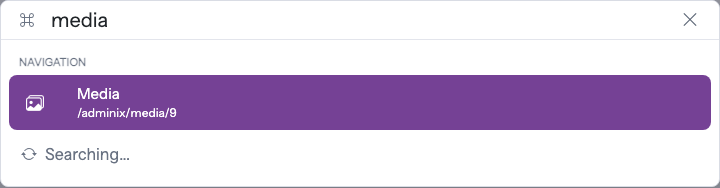
Adminix renders the command palette on package pages automatically. It reads navigation commands from the server-rendered sidebar links for the current panel.
When global search resources are configured, the same palette also queries the existing panel-aware endpoint:
Navigation results open the existing sidebar URL. Global search results open the server-built result URL from GlobalSearchResource::adminixUri(), url(), or urlUsing().
Rendered example:
Configuration
No separate command palette configuration is required for navigation. Configure the menu and global search as usual:
Security
The palette is read-only. It does not execute POST, PUT, PATCH, DELETE, bulk actions, row actions, or arbitrary browser-submitted action names.
The browser can choose only a query string or an already-rendered link. Datasources, criteria, searchable fields, limits, result URLs, panel routing, guards, and middleware still come from server-side Adminix configuration.
If the global search request fails at runtime, the palette keeps navigation commands available and does not turn the browser into a fallback datasource.